
基于 RoboTwin 的强化学习训练#
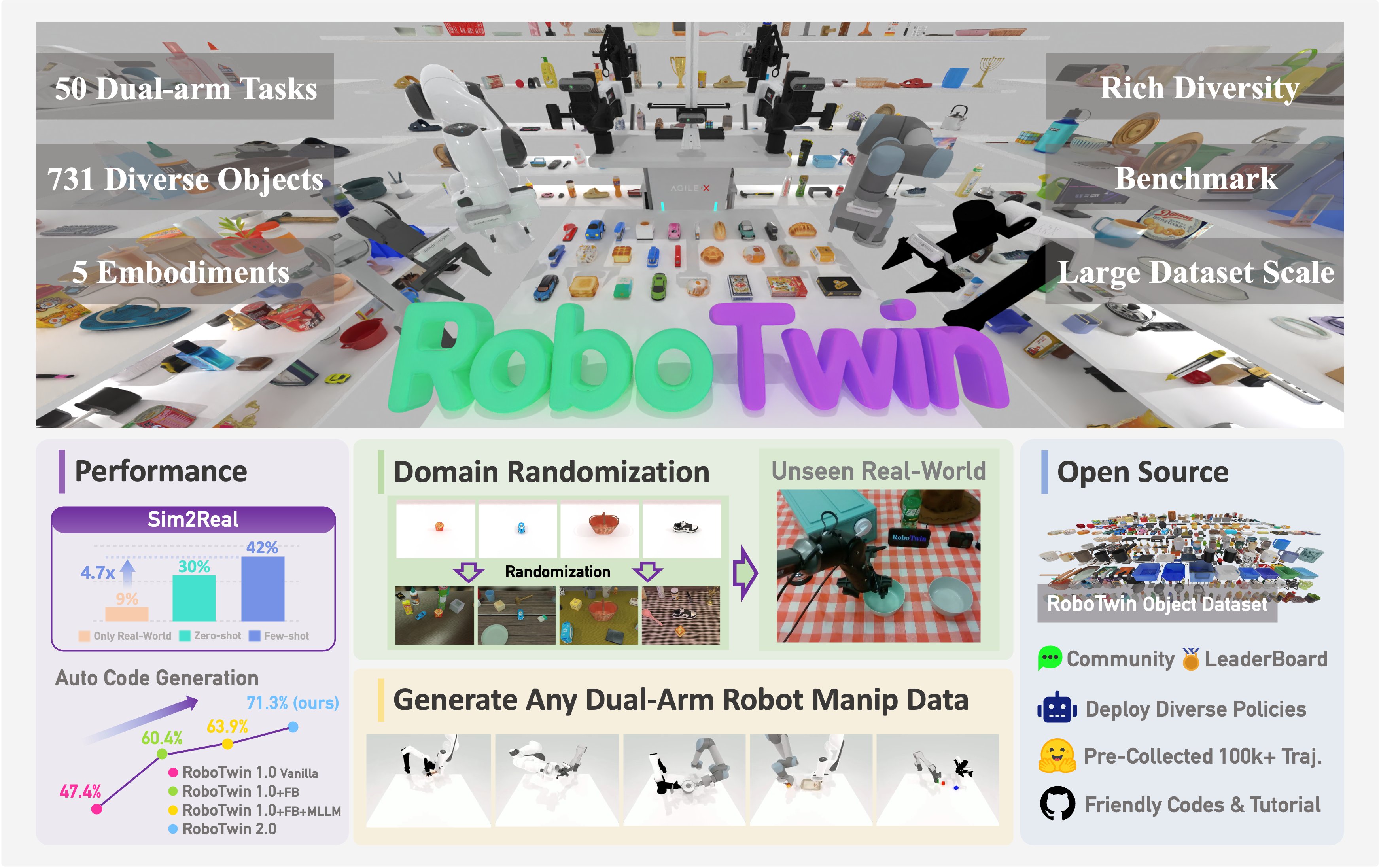
RoboTwin 2.0 是包含大规模任务套件的双臂操作基准。
你将使用 RLinf 在 place_empty_cup、adjust_bottle 等 RoboTwin 任务上对 VLA 策略进行强化学习微调。
概览#
在 RoboTwin 2.0 上微调 VLA;OpenVLA-OFT + GRPO 平均任务成功率提升约 +57%。
OpenVLA-OFT · π₀ / π₀.₅ · Lingbot-VLA
PPO · GRPO · DAgger
46 个支持任务 · 10 个配置任务
1–2 节点 · 8–16 GPUs
run_embodiment.sh → 观察 env/success_once。任务#
RoboTwin 支持 46 个操作任务。RLinf 提供了以下 ready-to-run 环境配置:
任务 |
描述 |
|---|---|
|
使用正确手臂将桌上的瓶子拾起并保持瓶口朝上。 |
|
将空杯放到杯垫上。 |
|
将容器放到盘子上。 |
|
用双臂分别抓取两个瓶子。 |
|
将易拉罐移动到锅旁。 |
|
用双臂抬起锅。 |
|
左臂抓取红色积木并交接给右臂,随后放到蓝色垫子上。 |
|
抓起锤子敲击积木。 |
|
按下铃铛顶部中央。 |
|
抓取鞋子并放到垫子上。 |
备注
RLinf 目前尚未支持四个 RoboTwin 任务:place_fan、open_laptop、
place_object_scale 和 put_object_cabinet。Dense reward 仍在逐步扩展到更多任务。
观测与动作#
字段 |
规格 |
|---|---|
|
头部相机 RGB, |
|
可选左/右腕部相机 RGB, |
|
本体状态, |
|
自然语言任务描述。 |
|
VLA 相关的 ALOHA 风格双臂连续 action chunk。 |
安装#
首先,克隆 RLinf 仓库:
# 为提高国内下载速度,可以使用镜像:
# git clone https://ghfast.top/github.com/RLinf/RLinf.git
git clone https://github.com/RLinf/RLinf.git
cd RLinf
然后,使用下列两种方式之一准备依赖:预构建的 Docker 镜像(推荐)或自定义环境。
通用的安装流程(前置依赖、GPU 驱动、镜像内置的 switch_env 工具、镜像加速、常见问题排查)
在 安装说明 中统一说明;本方案中的命令仅在 Docker
镜像标签和 --env 取值上有所不同。
Docker 镜像
docker run -it --rm --gpus all \
   --shm-size 32g \
   --network host \
   --name rlinf \
   -v .:/workspace/RLinf \
   rlinf/rlinf:agentic-rlinf0.3-robotwin

# 国内用户可使用:
# docker.1ms.run/rlinf/rlinf:agentic-rlinf0.3-robotwin
在镜像中切换到对应虚拟环境:
# OpenVLA-OFT
source switch_env openvla-oft

# OpenPI π₀ / π₀.₅
# source switch_env openpi

# Lingbot-VLA,如镜像中可用
# source switch_env lingbotvla
自定义环境
为你要运行的模型安装依赖:
# 国内用户可添加 --use-mirror。

# OpenVLA-OFT
bash requirements/install.sh embodied --model openvla-oft --env robotwin

# OpenPI π₀ / π₀.₅
# bash requirements/install.sh embodied --model openpi --env robotwin

# Lingbot-VLA
# bash requirements/install.sh embodied --model lingbotvla --env robotwin

source .venv/bin/activate
克隆 RoboTwin 并下载资产:
git clone https://github.com/RoboTwin-Platform/RoboTwin.git -b RLinf_support
cd RoboTwin
bash script/_download_assets.sh

export PYTHONPATH=/path/to/RoboTwin:$PYTHONPATH
export ROBOT_PLATFORM=ALOHA
默认情况下,该脚本会将资产下载到 /path/to/RoboTwin/assets/。
下载完成后,请将 env.train.assets_path 和 env.eval.assets_path
设置为 /path/to/RoboTwin``(即 ``assets/ 的上一级目录)。
下载模型#
下载与你的配置匹配的 SFT 检查点。示例:
OpenVLA-OFT
cd /path/to/save/model

git lfs install
git clone https://huggingface.co/RLinf/RLinf-OpenVLAOFT-RoboTwin-SFT-place_empty_cup

# 或使用 huggingface-hub:
# export HF_ENDPOINT=https://hf-mirror.com
pip install huggingface-hub
hf download RLinf/RLinf-OpenVLAOFT-RoboTwin-SFT-place_empty_cup --local-dir RLinf-OpenVLAOFT-RoboTwin-SFT-place_empty_cup
OpenPI π₀ / π₀.₅
cd /path/to/save/model

git lfs install
git clone https://huggingface.co/RLinf/RLinf-Pi0-RoboTwin-SFT-adjust_bottle
git clone https://huggingface.co/RLinf/RLinf-Pi05-RoboTwin-SFT-adjust_bottle

# 或使用 huggingface-hub:
# export HF_ENDPOINT=https://hf-mirror.com
pip install huggingface-hub
hf download RLinf/RLinf-Pi0-RoboTwin-SFT-adjust_bottle --local-dir RLinf-Pi0-RoboTwin-SFT-adjust_bottle
hf download RLinf/RLinf-Pi05-RoboTwin-SFT-adjust_bottle --local-dir RLinf-Pi05-RoboTwin-SFT-adjust_bottle
下载完成后,在配置 YAML 中指向该检查点——为 rollout 与 actor 两处模型设置相同的路径:
rollout:
   model:
      model_path: /path/to/downloaded-checkpoint
actor:
   model:
      model_path: /path/to/downloaded-checkpoint
对于 Lingbot-VLA 配方,请将 actor.model.model_path 和 rollout.model.model_path 指向你的 Lingbot-VLA SFT 检查点。
备注
配置中的动作归一化键 unnorm_key 必须与训练该 SFT 检查点时所用的 unnorm_key
一致,例如 unnorm_key: "place_empty_cup",否则动作会被错误地反归一化。
运行#
选择一个配方并启动训练:
配方 |
配置 |
命令后缀 |
|---|---|---|
OpenVLA-OFT + GRPO |
|
|
OpenVLA-OFT + PPO |
|
|
π₀ + PPO |
|
|
π₀.₅ + PPO |
|
|
OpenPI + DAgger |
|
|
Lingbot-VLA + GRPO |
|
|
bash examples/embodiment/run_embodiment.sh robotwin_place_empty_cup_grpo_openvlaoft
bash examples/embodiment/run_embodiment.sh robotwin_adjust_bottle_ppo_openpi_pi05
这条命令会:
使用选定的 RoboTwin Hydra 配置启动 embodied 训练入口。
为 actor、rollout 和 RoboTwin env 组件创建 Ray worker。
运行 rollout,计算任务奖励,并更新选定的 VLA 策略。
独立评估请走 RoboTwin 评测指南。
该指南负责 ROBOTWIN_PATH / assets_path 设置、可用评测配置
(如 robotwin_place_empty_cup_openvlaoft_eval 与 robotwin_adjust_bottle_openpi_pi05_eval)
和结果解读。
备注
提供的配置使用
rlinf/envs/robotwin/seeds/ 下的 train/eval seed 文件。
可视化与结果#
在 RLinf 仓库根目录启动 TensorBoard:
tensorboard --logdir ../results --port 6006
关键指标是 env/success_once。完整指标说明见
训练指标。
视频通过 env video 配置保存:
video_cfg:
  save_video: True
  video_base_dir: ${runner.logger.log_path}/video/eval
任务 |
SFT |
RLinf-GRPO |
RLinf-PPO |
|---|---|---|---|
|
--- |
||
|
--- |
||
|
|||
|
--- |
||
|
--- |
||
|
--- |
||
|
--- |
||
Average |
28.79% |
86.16% |
--- |
Δ Avg. |
--- |
+57.37% |
--- |

备注
OpenVLA-OFT 结果使用 demo_randomized 设置。OpenPI 结果使用 demo_clean。
任务级仿真选项见 RoboTwin configuration documentation。