
RL with Behavior Benchmark#
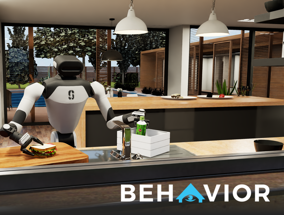
BEHAVIOR is a benchmark of everyday household activities built on NVIDIA IsaacSim / OmniGibson. A dual-arm R1 Pro robot performs long-horizon manipulation; RLinf uses it to RL-fine-tune vision-language-action (VLA) policies.
Overview#
RL-finetune a VLA on BEHAVIOR household tasks with PPO.
OpenVLA-OFT · π₀ / π₀.₅
PPO
50 BEHAVIOR-1K tasks
1 node · ray-tracing GPUs
run_embodiment.sh → watch env/success_once.Tasks#
Field |
Detail |
|---|---|
Tasks |
50 household manipulation tasks from BEHAVIOR-1K (select via |
Robot |
Dual-arm R1 Pro on IsaacSim / OmniGibson. |
Observation and Action#
Field |
Specification |
|---|---|
Observation |
Head-camera RGB (720×720) plus left/right wrist RealSense RGB (480×480). |
Action |
23-dim continuous: 3-DOF base (x, y, rz), 4-DOF torso, 2×7-DOF arms, and 2×1-DOF parallel-jaw grippers. |
Installation#
Warning
Check the IsaacSim software and hardware requirements before installing:
https://docs.isaacsim.omniverse.nvidia.com/4.5.0/installation/requirements.html
https://docs.omniverse.nvidia.com/dev-guide/latest/common/technical-requirements.html
Hopper-generation GPUs need NVIDIA driver 570 or newer. GPUs without ray tracing support, such as A100 or H100, can render BEHAVIOR scenes with severe artifacts. Prefer RTX 30/40 series or newer GPUs for visual quality and training stability.
First, clone the RLinf repository:
# Mainland China users can use a mirror for faster cloning:
# git clone https://ghfast.top/github.com/RLinf/RLinf.git
git clone https://github.com/RLinf/RLinf.git
cd RLinf
Then set up the dependencies with one of the two methods below — a prebuilt
Docker image (recommended) or a custom environment. The general setup
(prerequisites, GPU drivers, the in-image switch_env helper, mirrors, and
troubleshooting) is documented once in Installation;
the commands in this recipe only differ in the Docker image tag and the
--env value.
Option 1: Docker image — BEHAVIOR ships two separate images, one per model:
agentic-rlinf0.3-behavior (OpenVLA-OFT) and agentic-rlinf0.3-behavior-openpi
(OpenPI). Each image bundles only its own virtual environment, so pull the one that
matches the model you intend to train (there is no switch_env between them):
# OpenVLA-OFT model:
docker run -it --rm --gpus all \
   --shm-size 20g \
   --network host \
   --name rlinf \
   -v .:/workspace/RLinf \
   rlinf/rlinf:agentic-rlinf0.3-behavior
   # Mainland China mirror: docker.1ms.run/rlinf/rlinf:agentic-rlinf0.3-behavior

# OpenPI model (separate image):
docker run -it --rm --gpus all \
   --shm-size 20g \
   --network host \
   --name rlinf \
   -v .:/workspace/RLinf \
   rlinf/rlinf:agentic-rlinf0.3-behavior-openpi
   # Mainland China mirror: docker.1ms.run/rlinf/rlinf:agentic-rlinf0.3-behavior-openpi

# In either image the matching virtual environment is already activated by default.
Option 2: Custom environment — install bundle --env behavior:
# Add --use-mirror for faster downloads in mainland China.
bash requirements/install.sh embodied --model openvla-oft --env behavior
# Or install the OpenPI environment:
# bash requirements/install.sh embodied --model openpi --env behavior
source .venv/bin/activate
Download the Assets#
Download IsaacSim 4.5 and set ISAAC_PATH before every run:
export ISAAC_PATH=/path/to/isaac-sim
mkdir -p $ISAAC_PATH && cd $ISAAC_PATH
curl https://download.isaacsim.omniverse.nvidia.com/isaac-sim-standalone-4.5.0-linux-x86_64.zip -o isaac-sim.zip
unzip isaac-sim.zip && rm isaac-sim.zip
Download BEHAVIOR-1K assets and set OMNIGIBSON_DATA_PATH before every run:
# The datasets require more than 30 GB.
export OMNIGIBSON_DATA_PATH=/path/to/BEHAVIOR-1K-datasets
mkdir -p $OMNIGIBSON_DATA_PATH

# Run these inside the active venv. Set HF_ENDPOINT=https://hf-mirror.com in mainland China.
# The following Python command will download the dataset into $OMNIGIBSON_DATA_PATH.
python -c "from omnigibson.utils.asset_utils import download_omnigibson_robot_assets; download_omnigibson_robot_assets()"
python -c "from omnigibson.utils.asset_utils import download_behavior_1k_assets; download_behavior_1k_assets(accept_license=True)"
python -c "from omnigibson.utils.asset_utils import download_2025_challenge_task_instances; download_2025_challenge_task_instances()"
What this does:
Downloads the IsaacSim runtime that OmniGibson uses.
Downloads the BEHAVIOR robot assets, task assets, and 2025 challenge instances.
Creates the two environment variables that the training and evaluation scripts need.
Download the Model#
Download the checkpoint for your model family (either method works):
# Method 1: git clone
git lfs install
git clone https://huggingface.co/RLinf/RLinf-OpenVLAOFT-Behavior
git clone https://huggingface.co/RLinf/RLinf-Pi0-Behavior

# Method 2: huggingface-hub (set HF_ENDPOINT=https://hf-mirror.com in mainland China)
# export HF_ENDPOINT=https://hf-mirror.com
pip install huggingface-hub
hf download RLinf/RLinf-OpenVLAOFT-Behavior --local-dir RLinf-OpenVLAOFT-Behavior
hf download RLinf/RLinf-Pi0-Behavior --local-dir RLinf-Pi0-Behavior
After downloading, point your config YAML at the checkpoint — set the same path for both the rollout and the actor model:
rollout:
   model:
      model_path: /path/to/downloaded-checkpoint
actor:
   model:
      model_path: /path/to/downloaded-checkpoint
Run It#
Warning
Place BEHAVIOR env workers on GPUs starting from 0. IsaacSim can hang when env workers start on later GPU ranks.
Each recipe is a YAML config under examples/embodiment/config/:
Model / purpose |
Algorithm |
Config |
|---|---|---|
OpenVLA-OFT |
PPO |
|
π₀ |
PPO |
|
π₀.₅ |
PPO |
|
Launch a config with run_embodiment.sh:
export ISAAC_PATH=/path/to/isaac-sim
export OMNIGIBSON_DATA_PATH=/path/to/BEHAVIOR-1K-datasets
bash examples/embodiment/run_embodiment.sh behavior_ppo_openvlaoft
What this command does:
Loads
examples/embodiment/config/behavior_ppo_openvlaoft.yamland its shared env configexamples/embodiment/config/env/behavior_r1pro.yaml.Starts Ray workers for the actor, rollout, and BEHAVIOR env placement.
Runs PPO training and writes logs/checkpoints under
runner.logger.log_path.
Configure further
BEHAVIOR throughput → increase env GPU count first, then tune
env.num_env_subprocessandenv.train.total_num_envs.Each BEHAVIOR process can use roughly 10 GiB of VRAM; tune subprocess count for your GPU memory.
Cached task instances → generate them with
rlinf/envs/behavior/instance_generator.pyandexamples/embodiment/config/env/behavior_r1pro.yaml.Placement and throughput → Placement and Execution modes
Metric definitions and logging backends → Training metrics
Warning
Known issue: under the current BEHAVIOR setup, training success rate
(env/success_once) may stay at 0 for OpenVLA-OFT / π₀.
This issue will be fixed in a later release.
Standalone Evaluation#
In principle, any pi05 checkpoint that has non-zero success rate on
Behavior and has been converted to PyTorch format can be used for evaluation
with this config. We use OpenPI-Comet only as an example source:
After download, you can use the following repository to convert weights to PyTorch format:
Thanks to the OpenPI-Comet authors for open-sourcing the model and tools, which helps reproducibility and evaluation in RLinf.
After conversion, update behavior_openpi_pi05_eval.yaml as follows:
Set
actor.model.model_pathandrollout.model.model_pathto the converted model directory.Increase
max_episode_stepsandmax_steps_per_rollout_epochin bothenv.trainandenv.eval(for example,4096).
env:
  train:
    max_episode_steps: 4096
    max_steps_per_rollout_epoch: 4096
  eval:
    max_episode_steps: 4096
    max_steps_per_rollout_epoch: 4096
Run standalone evaluation through the BEHAVIOR-1K evaluation guide.
It owns the required ISAAC_PATH / OMNIGIBSON_DATA_PATH setup, the
behavior_openpi_pi05_eval launch command, and result interpretation.
Configure Further#
The BEHAVIOR env is driven by examples/embodiment/config/env/behavior_r1pro.yaml.
RLinf first loads OmniGibson’s base config (base_config_name) and then applies the
omni_config overrides (see setup_omni_cfg in rlinf/envs/behavior/utils.py).
The fields below control reset behavior, scene loading, simulator frequencies, and
throughput — most have sensible defaults and only need tuning for custom tasks or
performance.
Key |
Meaning |
|---|---|
|
Base OmniGibson config (e.g. |
|
Keep |
|
Current task id (0–49). RLinf maps it to |
|
Reset-time instance switching: |
|
Directory of cached instance JSONs ( |
|
Cached-instance format: |
|
When |
|
Head / wrist camera resolutions (defaults 720×720 / 480×480, applied to R1Pro sensors). |
|
Action / render / physics stepping frequency (common default 30 / 30 / 120). Higher is slower. |
|
Keep |
|
Keep |
|
|
|
|
|
Keep |
|
|
|
|
|
When |
|
Splits |
Generating cached task instances#
rlinf/envs/behavior/instance_generator.py generates *_template.json and
*_template-tro_state.json files directly from behavior_r1pro.yaml (it reads
scene_model, activity_name, activity_definition_id, the robot config, and
room-loading settings, then temporarily switches to online object sampling). It writes to
activity_instance_dir if set, otherwise to OMNIGIBSON_DATA_PATH’s default
2025-challenge-task-instances directory; use --output-dir to override.
cd /path/to/RLinf

python rlinf/envs/behavior/instance_generator.py \
  --config examples/embodiment/config/env/behavior_r1pro.yaml \
  --output-format template \
  --start-idx 1 --end-idx 50

python rlinf/envs/behavior/instance_generator.py \
  --config examples/embodiment/config/env/behavior_r1pro.yaml \
  --output-format tro_state \
  --start-idx 1 --end-idx 50
Generated filenames follow
<scene_model>_task_<activity_name>_<activity_definition_id>_<activity_instance_id>_template(.json|-tro_state.json),
so --start-idx / --end-idx set the activity_instance_id range. tro_state
outputs include top-level robot_poses only when the task metadata provides them; otherwise
the key is omitted and reset falls back to the task’s default robot pose. BEHAVIOR-1K’s upstream
multiply_b1k_tasks.py still works, but RLinf’s generator is recommended because it reads the
RLinf YAML directly and preserves activity_definition_id.
Visualization and Results#
Launch TensorBoard to watch training live:
tensorboard --logdir ./logs --port 6006
The key signal to watch is ``env/success_once`` — the task success rate. For every logged metric, see Training metrics.
To save evaluation videos, enable them in the config:
env:
   eval:
      video_cfg:
         save_video: True
         video_base_dir: ${runner.logger.log_path}/video/eval
For the Behavior experiment, we were inspired by Behavior-1K baselines, with only minor modifications. We thank the authors for releasing their open-source code.