
RL with Real2Sim2Real GSEnv#
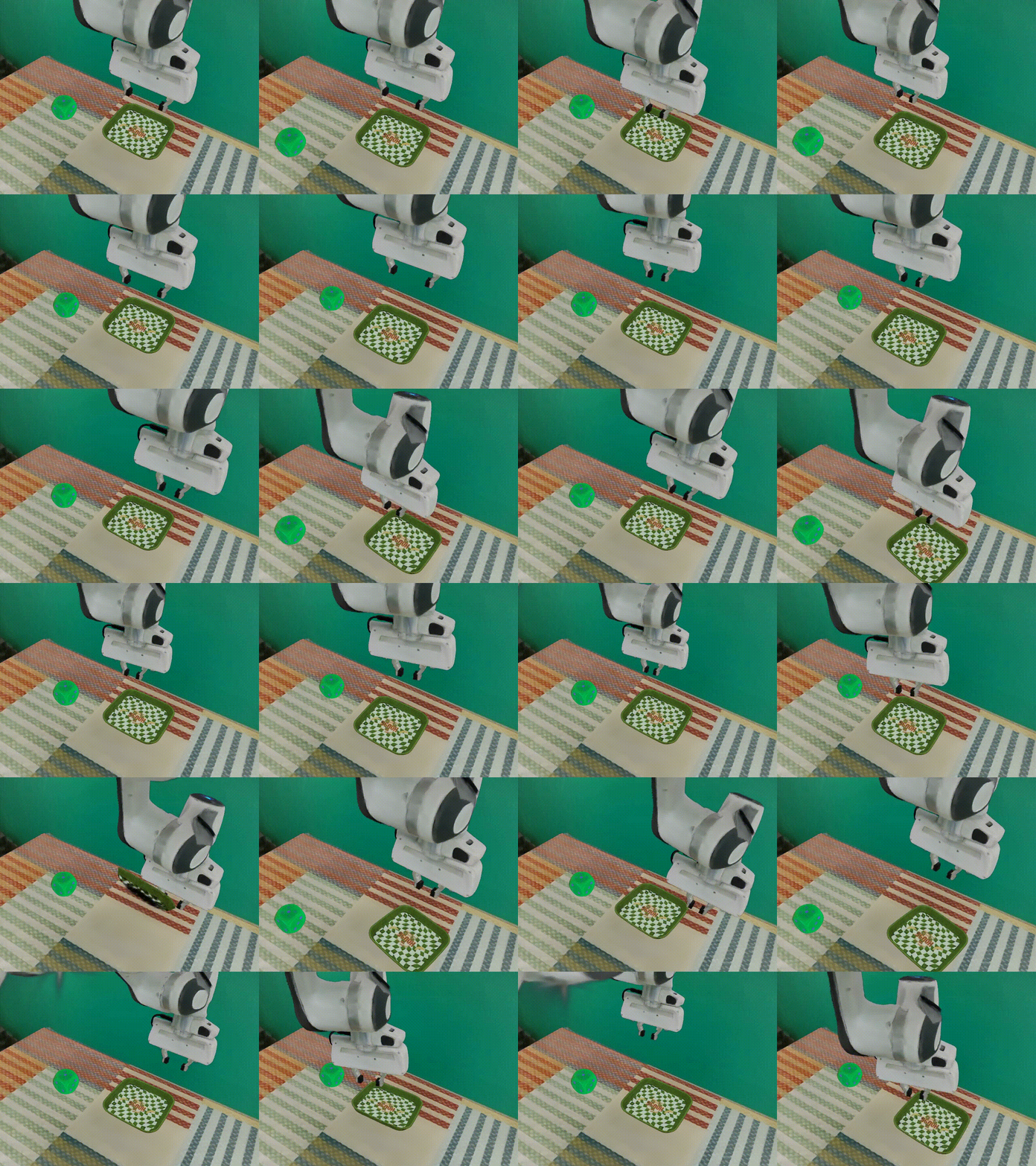
GSEnv / ManiSkill-GS.#
GSEnv, also known as ManiSkill-GS, combines ManiSkill physics with 3D Gaussian
Splatting rendering for Real2Sim2Real manipulation. You’ll use RLinf to
PPO-fine-tune OpenPI π₀.₅ on GSEnv-PutCubeOnPlate-v0.
Overview#
Fine-tune OpenPI π₀.₅ on a ManiSkill-compatible GSEnv task.
π₀.₅
PPO
PutCubeOnPlate
1 node · 8 GPUs
run_embodiment.sh → watch env/success_once.Tasks#
Task |
Description |
|---|---|
|
Pick up the cube and put it on the plate. |
Observation and Action#
Field |
Specification |
|---|---|
Observation |
ManiSkill-compatible observation with 3DGS rendering enabled through |
Action |
Continuous end-effector delta-position control for |
Reward |
Sparse success reward with |
Prompt |
The task instruction from the GSEnv wrapper. |
Note
GSEnv is wired through env_type: maniskill in
examples/embodiment/config/env/gsenv_put_cube_on_plate.yaml. The task id
selects the ManiSkill-GS environment.
Installation#
First, clone the RLinf repository:
# Mainland China users can use a mirror for faster cloning:
# git clone https://ghfast.top/github.com/RLinf/RLinf.git
git clone https://github.com/RLinf/RLinf.git
cd RLinf
Then set up the dependencies with one of the two methods below — a prebuilt
Docker image (recommended) or a custom environment. The general setup
(prerequisites, GPU drivers, the in-image switch_env helper, mirrors, and
troubleshooting) is documented once in Installation;
the commands in this recipe only differ in the Docker image tag and the
--env value.
Docker image
docker run -it --rm --gpus all \
   --shm-size 32g \
   --network host \
   --name rlinf \
   -v .:/workspace/RLinf \
   rlinf/rlinf:agentic-rlinf0.3-maniskill_libero

# For mainland China users:
# docker.1ms.run/rlinf/rlinf:agentic-rlinf0.3-maniskill_libero
Switch to the OpenPI virtual environment inside the image:
source switch_env openpi
Custom environment
Install the ManiSkill/LIBERO environment with OpenPI dependencies:
# Mainland China users can add --use-mirror.
bash requirements/install.sh embodied --model openpi --env maniskill_libero
source .venv/bin/activate
Install ManiSkill-GS and its assets:
git clone -b v01 https://github.com/chenkang455/ManiSkill-GS.git
cd ManiSkill-GS
uv pip install -e .

# Download assets into the ManiSkill-GS project.
# export HF_ENDPOINT=https://hf-mirror.com
hf download RLinf/gsenv-assets-v0 --repo-type dataset --local-dir ./assets
Verify the RLinf interface from the ManiSkill-GS project root:
python scripts/test_rlinf_interface.py
Note
The first run can take time because gsplat may compile kernels.
Download the Model#
Download the OpenPI π₀.₅ SFT checkpoint:
cd /path/to/save/model

git lfs install
git clone https://huggingface.co/RLinf/RLinf-Pi05-GSEnv-PutCubeOnPlate-V0-SFT

# Or use huggingface-hub:
# export HF_ENDPOINT=https://hf-mirror.com
pip install huggingface-hub
hf download RLinf/RLinf-Pi05-GSEnv-PutCubeOnPlate-V0-SFT --local-dir RLinf-Pi05-GSEnv-PutCubeOnPlate-V0-SFT
After downloading, point your config YAML at the checkpoint — set the same path for both the rollout and the actor model:
rollout:
   model:
      model_path: /path/to/downloaded-checkpoint
actor:
   model:
      model_path: /path/to/downloaded-checkpoint
Run It#
Launch the GSEnv recipe:
Recipe |
Config |
Command suffix |
|---|---|---|
OpenPI π₀.₅ + PPO |
|
|
bash examples/embodiment/run_embodiment.sh gsenv_ppo_openpi_pi05
What this does:
Starts the embodied training entrypoint with the GSEnv Hydra config.
Creates Ray workers for the actor, rollout, and ManiSkill-backed env components.
Runs PPO rollouts with OpenPI action chunks and sparse GSEnv success rewards.
Note
The default config uses actor,env,rollout: all. Tune
cluster.component_placement, env.train.total_num_envs, and
actor.global_batch_size for your GPU memory budget.
Visualization and Results#
Launch TensorBoard from the RLinf repo root:
tensorboard --logdir ../results --port 6006
The key signal is env/success_once. For every logged metric, see
Training metrics.
Enable video in the env config when you want 3DGS rollout videos:
video_cfg:
  save_video: True
  info_on_video: True
  video_base_dir: ${runner.logger.log_path}/video/train
Enable W&B or SwanLab by adding logger backends:
runner:
  logger:
    logger_backends: ["tensorboard", "wandb"]  # or swanlab
Example GSEnv training curves.#