RL with RoboTwin Benchmark#
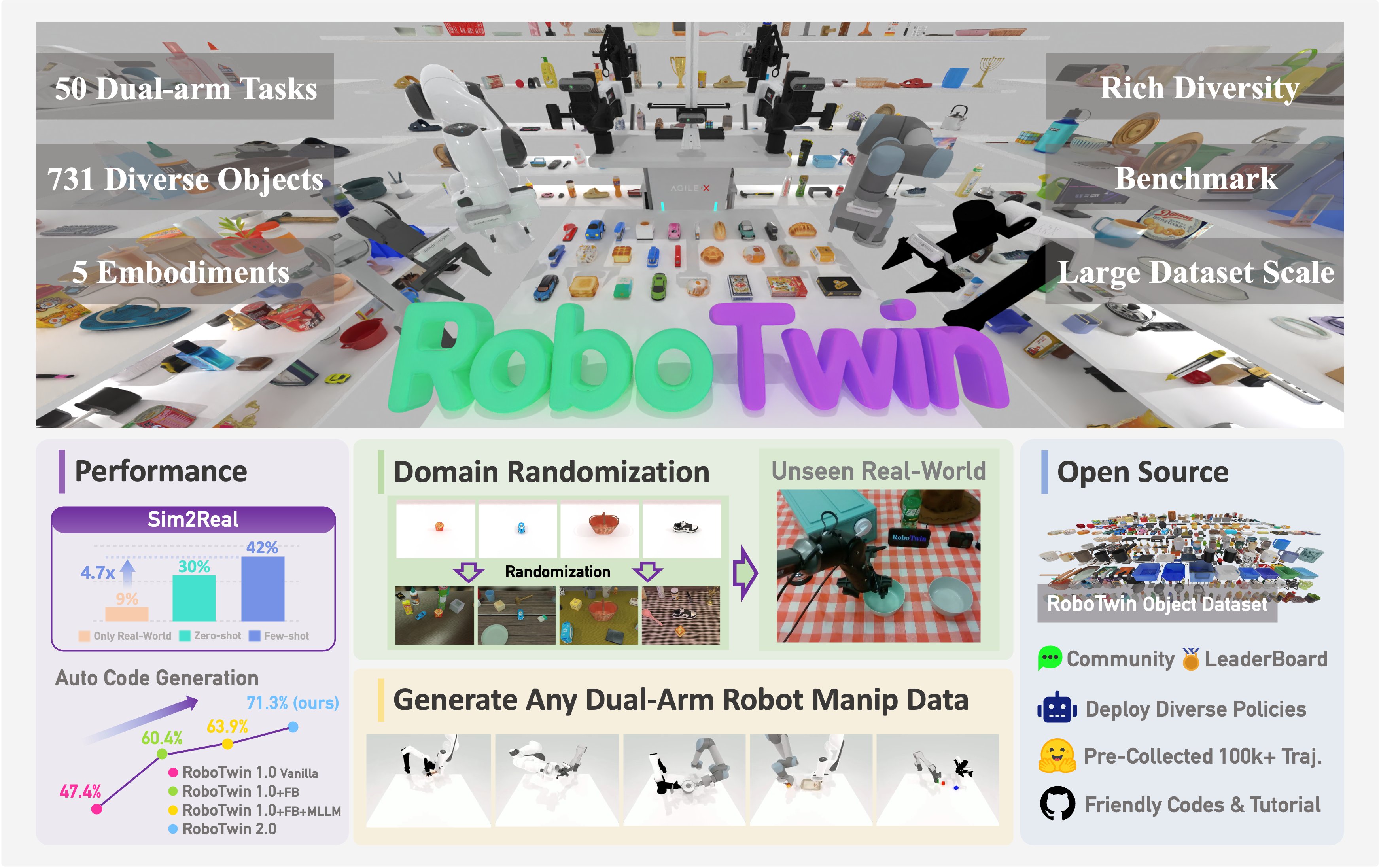
RoboTwin 2.0 dual-arm manipulation tasks (image: RoboTwin).#
RoboTwin 2.0 is a dual-arm manipulation
benchmark with a large task suite. You’ll use RLinf to RL-fine-tune VLA policies on
RoboTwin tasks such as place_empty_cup and adjust_bottle.
Overview#
Fine-tune a VLA on RoboTwin 2.0; OpenVLA-OFT + GRPO lifts average task success by +57%.
OpenVLA-OFT · π₀ / π₀.₅ · Lingbot-VLA
PPO · GRPO · DAgger
46 supported · 10 configured
1–2 nodes · 8–16 GPUs
run_embodiment.sh → watch env/success_once.Tasks#
RoboTwin supports 46 manipulation tasks. RLinf ships ready-to-run env configs for these tasks:
Task |
Description |
|---|---|
|
Pick up the bottle on the table head-up with the correct arm. |
|
Place the empty cup on the coaster. |
|
Place the container onto the plate. |
|
Pick up one bottle with each arm. |
|
Move a can to beside the pot. |
|
Lift the pot with both arms. |
|
Handover a red block from the left arm to the right arm, then place it on the blue pad. |
|
Grab the hammer and hit the block. |
|
Click the bell’s top center. |
|
Pick up a shoe and place it on the mat. |
Note
Four RoboTwin tasks are not yet supported in RLinf: place_fan, open_laptop,
place_object_scale, and put_object_cabinet. Dense reward functions are
still being expanded across tasks.
Observation and Action#
Field |
Specification |
|---|---|
|
Head-camera RGB, |
|
Optional left/right wrist-camera RGB, |
|
Proprioception, |
|
Natural-language task descriptions. |
|
VLA-dependent continuous action chunks for ALOHA-style dual-arm control. |
Installation#
First, clone the RLinf repository:
# Mainland China users can use a mirror for faster cloning:
# git clone https://ghfast.top/github.com/RLinf/RLinf.git
git clone https://github.com/RLinf/RLinf.git
cd RLinf
Then set up the dependencies with one of the two methods below — a prebuilt
Docker image (recommended) or a custom environment. The general setup
(prerequisites, GPU drivers, the in-image switch_env helper, mirrors, and
troubleshooting) is documented once in Installation;
the commands in this recipe only differ in the Docker image tag and the
--env value.
Docker image
docker run -it --rm --gpus all \
   --shm-size 32g \
   --network host \
   --name rlinf \
   -v .:/workspace/RLinf \
   rlinf/rlinf:agentic-rlinf0.3-robotwin

# For mainland China users:
# docker.1ms.run/rlinf/rlinf:agentic-rlinf0.3-robotwin
Switch to the matching virtual environment inside the image:
# OpenVLA-OFT
source switch_env openvla-oft

# OpenPI π₀ / π₀.₅
# source switch_env openpi

# Lingbot-VLA, if available in your image
# source switch_env lingbotvla
Custom environment
Install dependencies for the model you want to run:
# Mainland China users can add --use-mirror.

# OpenVLA-OFT
bash requirements/install.sh embodied --model openvla-oft --env robotwin

# OpenPI π₀ / π₀.₅
# bash requirements/install.sh embodied --model openpi --env robotwin

# Lingbot-VLA
# bash requirements/install.sh embodied --model lingbotvla --env robotwin

source .venv/bin/activate
Clone RoboTwin and download its assets:
git clone https://github.com/RoboTwin-Platform/RoboTwin.git -b RLinf_support
cd RoboTwin
bash script/_download_assets.sh

export PYTHONPATH=/path/to/RoboTwin:$PYTHONPATH
export ROBOT_PLATFORM=ALOHA
By default, this script downloads assets under /path/to/RoboTwin/assets/.
After the download completes, set env.train.assets_path and
env.eval.assets_path to /path/to/RoboTwin (the parent folder of assets/).
Download the Model#
Download the SFT checkpoint that matches your config. Examples:
OpenVLA-OFT
cd /path/to/save/model

git lfs install
git clone https://huggingface.co/RLinf/RLinf-OpenVLAOFT-RoboTwin-SFT-place_empty_cup

# Or use huggingface-hub:
# export HF_ENDPOINT=https://hf-mirror.com
pip install huggingface-hub
hf download RLinf/RLinf-OpenVLAOFT-RoboTwin-SFT-place_empty_cup --local-dir RLinf-OpenVLAOFT-RoboTwin-SFT-place_empty_cup
OpenPI π₀ / π₀.₅
cd /path/to/save/model

git lfs install
git clone https://huggingface.co/RLinf/RLinf-Pi0-RoboTwin-SFT-adjust_bottle
git clone https://huggingface.co/RLinf/RLinf-Pi05-RoboTwin-SFT-adjust_bottle

# Or use huggingface-hub:
# export HF_ENDPOINT=https://hf-mirror.com
pip install huggingface-hub
hf download RLinf/RLinf-Pi0-RoboTwin-SFT-adjust_bottle --local-dir RLinf-Pi0-RoboTwin-SFT-adjust_bottle
hf download RLinf/RLinf-Pi05-RoboTwin-SFT-adjust_bottle --local-dir RLinf-Pi05-RoboTwin-SFT-adjust_bottle
After downloading, point your config YAML at the checkpoint — set the same path for both the rollout and the actor model:
rollout:
   model:
      model_path: /path/to/downloaded-checkpoint
actor:
   model:
      model_path: /path/to/downloaded-checkpoint
For Lingbot-VLA recipes, point actor.model.model_path and
rollout.model.model_path at your Lingbot-VLA SFT checkpoint.
Note
The action-normalization key unnorm_key in the config (e.g.
unnorm_key: "place_empty_cup") must match the unnorm_key used when the SFT
checkpoint was trained, otherwise actions will be denormalized incorrectly.
Run It#
Pick one recipe and launch training:
Recipe |
Config |
Command suffix |
|---|---|---|
OpenVLA-OFT + GRPO |
|
|
OpenVLA-OFT + PPO |
|
|
π₀ + PPO |
|
|
π₀.₅ + PPO |
|
|
OpenPI + DAgger |
|
|
Lingbot-VLA + GRPO |
|
|
bash examples/embodiment/run_embodiment.sh robotwin_place_empty_cup_grpo_openvlaoft
bash examples/embodiment/run_embodiment.sh robotwin_adjust_bottle_ppo_openpi_pi05
What this does:
Starts the embodied training entrypoint with the selected RoboTwin Hydra config.
Creates Ray workers for actor, rollout, and RoboTwin env components.
Runs rollouts, computes task rewards, and updates the selected VLA policy.
Run standalone evaluation through the RoboTwin evaluation guide.
It owns ROBOTWIN_PATH / assets_path setup, available eval configs such as
robotwin_place_empty_cup_openvlaoft_eval and robotwin_adjust_bottle_openpi_pi05_eval,
and result interpretation.
Note
The provided configs use train/eval seed files under rlinf/envs/robotwin/seeds/.
Visualization and Results#
Launch TensorBoard from the RLinf repo root:
tensorboard --logdir ../results --port 6006
The key signal is env/success_once. For every logged metric, see
Training metrics.
Videos are saved through the env video config:
video_cfg:
  save_video: True
  video_base_dir: ${runner.logger.log_path}/video/eval
Task |
SFT |
RLinf-GRPO |
RLinf-PPO |
|---|---|---|---|
|
— |
||
|
— |
||
|
|||
|
— |
||
|
— |
||
|
— |
||
|
— |
||
Average |
28.79% |
86.16% |
— |
Δ Avg. |
— |
+57.37% |
— |

Method |
SFT |
RLinf-PPO |
|---|---|---|
π₀ |
||
π₀.₅ |
Note
OpenVLA-OFT results use the demo_randomized setting. OpenPI results use
demo_clean. For task-level simulator options, see the
RoboTwin configuration documentation.