
RL on GR00T Models#
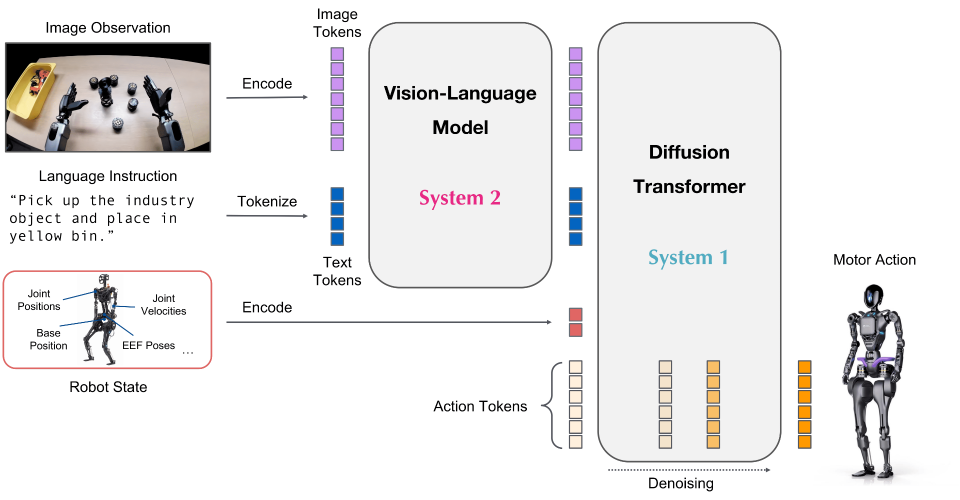
NVIDIA GR00T: a cross-embodiment VLA foundation model.#
Fine-tune GR00T models with reinforcement learning on LIBERO using RLinf — SFT cold-start, PPO training, evaluation, and visualization.
Note
RLinf supports GR00T-N1.5, GR00T-N1.6, and GR00T-N1.7. N1.6 introduced the Flow-Matching Action Head, FSDP-based training, and stronger cross-embodiment support. N1.7 further upgrades the official backbone to Cosmos-Reason2-2B / Qwen3-VL and expands the official universal state/action space. Version-specific differences are marked with N1.5 / N1.6 / N1.7 labels. The AMD, Ascend, and MUSA instructions on this page cover N1.5 with LIBERO or ManiSkill; validate N1.6, N1.7, and IsaacLab separately on those backends.
Overview#
Fine-tune GR00T (N1.5 / N1.6 / N1.7) on LIBERO with PPO (actor-critic).
LIBERO · ManiSkill · IsaacLab
PPO
LIBERO Spatial · Object · Goal · Long
NVIDIA CUDA · AMD ROCm · Huawei Ascend CANN · Moore Threads MUSA (N1.5, LIBERO · ManiSkill)
run_embodiment.sh → watch env/success_once.Tasks#
Select the model page by matching the environment, task family, and config or checkpoint artifact.
Environment |
Task / Suite |
Config / Weights |
Focus |
|---|---|---|---|
LIBERO |
LIBERO-Spatial |
|
Flow-SDE PPO with GR00T-N1.x on spatial manipulation. |
LIBERO |
LIBERO-Object |
|
Object manipulation fine-tuning with GR00T. |
LIBERO |
LIBERO-Goal |
|
Goal-conditioned manipulation fine-tuning. |
LIBERO |
LIBERO-10 |
|
Long-horizon LIBERO training with GR00T. |
Observation and Action#
Field |
Description |
|---|---|
Observation |
Multi-view RGB images plus robot proprioception required by GR00T dataconfigs. |
Action |
Continuous action chunks generated by the GR00T policy. |
Reward |
LIBERO task success or simulator reward used by PPO. |
Prompt |
Natural-language task prompt provided with each LIBERO episode. |
Installation#
Use the NVIDIA setup below, or follow the backend-specific setup for your hardware.
First, clone the RLinf repository:
# Mainland China users can use a mirror for faster cloning:
# git clone https://gh-proxy.com/github.com/RLinf/RLinf.git
git clone https://github.com/RLinf/RLinf.git
cd RLinf
Then set up the dependencies with one of the two methods below — a prebuilt
Docker image (recommended) or a custom environment. The general setup
(prerequisites, GPU drivers, the in-image switch_env helper, mirrors, and
troubleshooting) is documented once in Installation;
the commands in this recipe only differ in the Docker image tag and the
--env value.
Option 1: Docker image — image tag agentic-rlinf0.4-maniskill_libero:
docker run -it --rm --gpus all \
   --shm-size 20g \
   --network host \
   --name rlinf \
   -v .:/workspace/RLinf \
   rlinf/rlinf:agentic-rlinf0.4-maniskill_libero
   # For mainland China users, you can use the following for better download speed:
   # infinigence-ai-registry.cn-beijing.cr.aliyuncs.com/rlinf/rlinf:agentic-rlinf0.4-maniskill_libero
Please switch to the corresponding virtual environment via the built-in switch_env utility in the image:
N1.5:
source switch_env gr00t
N1.6:
source switch_env gr00t_n1d6
N1.7:
source switch_env gr00t_n1d7
Option 2: Custom Environment
N1.5:
# For mainland China users, you can add the `--use-mirror` flag to the install.sh command for better download speed.
bash requirements/install.sh embodied --model gr00t --env maniskill_libero
source .venv/bin/activate
N1.6:
# For mainland China users, you can add the `--use-mirror` flag to the install.sh command for better download speed.
bash requirements/install.sh embodied --model gr00t_n1d6 --env maniskill_libero
source .venv/bin/activate
N1.7:
# For mainland China users, you can add the `--use-mirror` flag to the install.sh command for better download speed.
bash requirements/install.sh embodied --model gr00t_n1d7 --env maniskill_libero
source .venv/bin/activate
Download the Model#
Before starting training, you need to download the corresponding pre-trained model.
N1.5: GR00T-N1.5 Few-Shot SFT Model Download
We currently support four LIBERO tasks: Spatial, Object, Goal, and Long.
# Method 1: Using git clone
git lfs install
git clone https://huggingface.co/RLinf/RLinf-Gr00t-SFT-Spatial

# Method 2: Using huggingface-hub
# For mainland China users, you can use the following for better download speed:
# export HF_ENDPOINT=https://hf-mirror.com
pip install huggingface-hub
hf download RLinf/RLinf-Gr00t-SFT-Spatial --local-dir RLinf-Gr00t-SFT-Spatial
SFT model downloads for other tasks: - Libero-Object - Libero-Goal - Libero-Long
N1.6: GR00T-N1.6 SFT Model
We currently support LIBERO task Spatial and regard it as the RLinf demo for Gr00t N1.6
# Method 1: Using git clone
git lfs install
git clone https://huggingface.co/RLinf/RLinf-Gr00t-N1.6-SFT-Spatial

# Method 2: Using huggingface-hub
# For mainland China users, you can use the following for better download speed:
# export HF_ENDPOINT=https://hf-mirror.com
pip install huggingface-hub
hf download RLinf/RLinf-Gr00t-N1.6-SFT-Spatial --local-dir RLinf/RLinf-Gr00t-N1.6-SFT-Spatial
N1.7: Temporary official release checkpoint usage
RLinf does not ship a dedicated RLinf-produced GR00T-N1.7 SFT checkpoint yet. In the current repository state, the maintained N1.7 RL example temporarily uses the official released LIBERO checkpoint as the task-checkpoint bootstrap.
In other words:
model_pathcurrently points to a locally unpacked officialnvidia/GR00T-N1.7-LIBEROcheckpoint, not to an RLinf-exported N1.7 SFT checkpoint produced by RLinf.backbone_model_pathpoints to a local snapshot ofCosmos-Reason2-2Bso actor, rollout, and processor can run fully offline.This is a practical temporary setup for RL integration and debugging.
This temporary setup is also consistent with the official N1.7 release notes:
Relative EEF Action Space: N1.7 adopts a relative end-effector action space shared across robot and human embodiments, which is one of the key reasons for its cross-embodiment generalization.
Human Video Pretraining: N1.7 is pretrained on 20K hours of EgoScale human video together with diverse robot demonstrations, so it can transfer manipulation priors from human video into robot control.
Key Changes from N1.6: N1.7 upgrades the VLM backbone to
Cosmos-Reason2-2B/ Qwen3-VL, simplifies the data-processing pipeline, and adds fuller ONNX / TensorRT export support.
Before RLinf ships its own N1.7 SFT checkpoint, you can use the following offline download pattern:
# For mainland China users, you can use the following for better download speed:
# export HF_ENDPOINT=https://hf-mirror.com
pip install huggingface-hub

# Download Cosmos-Reason2-2B backbone
uv run hf download nvidia/Cosmos-Reason2-2B \
   --local-dir checkpoints/Cosmos-Reason2-2B

# Download GR00T-N1.7-LIBERO task checkpoint (libero_spatial minimum file set)
uv run hf download nvidia/GR00T-N1.7-LIBERO \
   --include "libero_spatial/config.json" \
             "libero_spatial/embodiment_id.json" \
             "libero_spatial/model-*.safetensors" \
             "libero_spatial/model.safetensors.index.json" \
             "libero_spatial/processor_config.json" \
             "libero_spatial/statistics.json" \
   --local-dir checkpoints/GR00T-N1.7-LIBERO
The current example can run with this minimum file set. If experiment_cfg/metadata.json is also available in your local checkpoint directory, keep it there; RLinf prefers it when present, but can fall back to modality/config inference when it is missing.
Currently the maintained RLinf N1.7 RL example is LIBERO Spatial.
GR00T Core Design Concepts#
N1.5:
1. Modality Config
Modality Config is a critical design feature in GR00T-N1.5. By defining a unified dataset interface, it enables different robot configurations to utilize the same dataset. For example, a dual-arm dataset can be used to train a single-arm model through this innovative design.
1.1 Enhanced LeRobot Dataset
The LeRobot dataset contains a meta folder that records all dataset metadata.
GR00T-N1.5 further defines a modality.json file to determine the data interface of the dataset.
1.2 DataConfig Class
GR00T-N1.5 introduces the DataConfig class to describe all information needed for model training.
It decouples datasets from robot configurations, enabling model training across different robots without modifying data processing code.
1.3 Embodiment Tag
The Embodiment Tag is an enum value that determines which DataConfig to use during training. The model also adopts different state and action encoders/decoders based on this tag.
2. Fine-Tuning Guide
Based on the above design, before deploying GR00T-N1.5 in new environments beyond LIBERO, users need to fine-tune it. The fine-tuning guide can be found at GR00T official repo’s getting_started/finetune_new_embodiment.md.
After fine-tuning, GR00T-N1.5 generates an experiment_cfg/metadata.json file containing all modality configs and fine-tuned dataset statistics.
This file is essential for GR00T-N1.5 inference and RL post-training.
For more details, see GR00T official repo’s getting_started/GR00T_inference.ipynb.
N1.6:
1. Two-Stage Decoupled Training Paradigm
RLinf adopts a highly decoupled two-stage training architecture for GR00T-N1.6:
Stage 1 (Pure SFT): Uses
Pure SFT Modelmode. The model is completely detached from the physical simulation environment, relying solely on offline expert datasets for supervised fine-tuning.Stage 2 (PPO RL Alignment): Based on SFT convergence, loads the model into a FSDP-based distributed Actor for real-time interaction with the simulation environment.
2. Head-Only Fine-Tuning
To save memory while preventing “catastrophic forgetting”, the framework adopts a backbone-freezing strategy:
Backbone Freezing: Vision-language backbone parameters are strictly locked (
requires_grad=False).Action Head Focus: Only the action output head participates in gradient updates.
3. Flow-Matching Action Generation
The model generates high-frequency action chunks directly in continuous space through noise-adding and denoising flow-matching mechanisms (Flow-SDE / Diffusion).
Key configurations:
num_action_chunkscontrols prediction step length,denoising_stepscontrols denoising depth.
4. Cross-Embodiment Generalization
Embodiment Tag: Through configuration tags (e.g.,
ROBOCASA_PANDA_OMRON), the system dynamically adapts the corresponding state encoder and action space. Both single-arm manipulators and quadruped robots can reuse the same architecture.
5. FSDP Distributed Parallel Architecture
The underlying system has been restructured for the Actor node (
EmbodiedFSDPActor), which shards model weights, gradients, and optimizer states across GPU nodes.Given the significant increase in GR00T-N1.6 parameter scale, the Actor node has been fully restructured to break through the single-GPU memory bottleneck of traditional DDP.
After fine-tuning, the system generates metadata.json and other statistical files in the output directory, preserving key modality information for inference and deployment.
N1.7:
1. What’s New in official GR00T N1.7
GR00T N1.7 builds on N1.6 with a new VLM backbone and code-level improvements.
Relative EEF Action Space: N1.7 adopts a relative end-effector action space shared across robot and human embodiments. Representing actions as deltas from the current pose, instead of absolute targets, improves generalization and is a key reason for its cross-embodiment performance.
Human Video Pretraining: N1.7 is pretrained on 20K hours of EgoScale human video together with diverse robot demonstrations. Because the relative EEF action representation is shared across human and robot data, manipulation priors learned from human video can transfer more directly to robot control.
2. Key Changes from N1.6
The official backbone is upgraded to
nvidia/Cosmos-Reason2-2Bwith a Qwen3-VL style architecture, replacing the Eagle backbone used in N1.6.The official
processing_gr00t_n1d7.pypath simplifies the data-processing pipeline compared with the older N1.6 stack.The official N1.7 stack also expands ONNX / TensorRT export support.
The official N1.7 model config raises the default universal limits to
max_state_dim=132,max_action_dim=132, andaction_horizon=40.
3. Current checkpoint strategy in RLinf
RLinf does not yet provide a repository-produced N1.7 SFT checkpoint for this RL example.
The current maintained example therefore temporarily uses the official released
GR00T-N1.7-LIBERO/libero_spatialcheckpoint asmodel_path.
4. RLinf N1.7 Interface Adaptation
The current raw LIBERO state in RLinf is 8-dim before conversion, while the official N1.7 model uses a larger universal state/action representation internally.
The current LIBERO example uses
embodiment_tag: libero_simand applies the LIBERO gripper convention in the shared environment action utilities.
5. Checkpoint and Processor Contract
RLinf loads the official processor directly from the checkpoint directory.
When running in offline or mirrored environments,
backbone_model_pathcan redirect the official backbone id to a localCosmos-Reason2-2Bsnapshot.The current temporary official-release download command may omit
experiment_cfg/metadata.json; that is acceptable for now because RLinf has a fallback path, but keeping metadata is still recommended when available.
6. RL Training Contract in This Repository
The maintained RLinf N1.7 RL example is
examples/embodiment/config/libero_spatial_ppo_gr00t_n1d7.yaml.The current RL setup uses PPO with
algorithm.loss_type: actor_critic, soactor.model.add_value_headmust beTrueduring training.The repository’s validated LIBERO example uses
num_action_chunks: 16anddenoising_steps: 4.
Run It#
1. Key Cluster Configuration
cluster:
   num_nodes: 1
   component_placement:
      env,rollout,actor: all
You can configure the placement to share all GPUs among env, rollout, and actor components.
cluster:
   num_nodes: 1
   component_placement:
      env: 0-3
      rollout: 4-7
      actor: 0-7

rollout:
   pipeline_stage_num: 2
You can flexibly configure GPU counts for env, rollout, and actor components, and enable pipelining between rollout and env via pipeline_stage_num.
cluster:
   num_nodes: 1
   component_placement:
      env: 0-1
      rollout: 2-5
      actor: 6-7
You can also fully separate components, each using dedicated GPUs without offloading.
2. Key Model Parameters
N1.5:
model:
   num_action_chunks: 5
   denoising_steps: 4
   rl_head_config:
     noise_method: "flow_sde"
     noise_level: 0.5
     disable_dropout: True
You can adjust noise_level and denoising_steps to control noise intensity and flow-matching steps.
num_action_chunks determines the number of future steps to use for forward simulation.
GR00T-N1.5’s action head contains dropout layers that interfere with log-probability calculations, so disable_dropout must be set to True to replace them with identity layers.
Use noise_method to select different noise injection methods. Two options are available:
flow-sde and
flow-noise.
N1.6:
Actor Model & Action Head Configuration
model:
   model_type: "gr00t_n1d6"
   add_value_head: True          # RL critical: dynamically inject value network for advantage prediction
   num_action_chunks: 16         # Number of future action steps predicted per inference
   denoising_steps: 4            # Controls flow-matching denoising steps
FSDP Sharding Strategy
fsdp_config:
  wrap_policy:
    transformer_layer_cls_to_wrap:
      - "Qwen3DecoderLayer"
      - "Siglip2EncoderLayer"
N1.7:
Actor Model & Action Head Configuration
model:
   model_type: "gr00t_n1d7"
   add_value_head: True
   num_action_chunks: 16
   denoising_steps: 4
Runtime Path Configuration
model:
   model_path: "/path/to/GR00T-N1.7-LIBERO/libero_spatial"
   backbone_model_path: "/path/to/Cosmos-Reason2-2B"
PPO & Optimizer Hyperparameters
algorithm:
   adv_type: gae
   clip_ratio_high: 0.2
   gamma: 0.99
   gae_lambda: 0.95

optim:
   lr: 5.0e-6
   value_lr: 1.0e-4
   clip_grad: 1.0
3. Configuration Files
N1.5:
GR00T-N1.5 + PPO + Libero-Spatial:
examples/embodiment/config/libero_spatial_ppo_gr00t.yamlGR00T-N1.5 + PPO + Libero-Object:
examples/embodiment/config/libero_object_ppo_gr00t.yamlGR00T-N1.5 + PPO + Libero-Goal:
examples/embodiment/config/libero_goal_ppo_gr00t.yamlGR00T-N1.5 + PPO + Libero-Long:
examples/embodiment/config/libero_10_ppo_gr00t.yaml
N1.6:
GR00T-N1.6 + PPO + Libero-Spatial:
examples/embodiment/config/libero_spatial_ppo_gr00t_n1d6.yaml
Update the SFT model path:
model:
   model_path: "/path/to/RLinf-Gr00t-N1.6-RL-Spatial"
N1.7:
GR00T-N1.7 + PPO + Libero-Spatial:
examples/embodiment/config/libero_spatial_ppo_gr00t_n1d7.yaml
Update the SFT model path:
model:
   model_path: "/path/to/GR00T-N1.7-LIBERO/libero_spatial"
   backbone_model_path: "/path/to/Cosmos-Reason2-2B"
4. Launch Commands
N1.5:
bash examples/embodiment/run_embodiment.sh libero_spatial_ppo_gr00t
bash examples/embodiment/run_embodiment.sh libero_object_ppo_gr00t
bash examples/embodiment/run_embodiment.sh libero_goal_ppo_gr00t
bash examples/embodiment/run_embodiment.sh libero_10_ppo_gr00t
N1.6:
bash examples/embodiment/run_embodiment.sh libero_spatial_ppo_gr00t_n1d6
N1.7:
bash examples/embodiment/run_embodiment.sh libero_spatial_ppo_gr00t_n1d7
Run on Different Hardware Backends#
NVIDIA uses the version-specific setup above. AMD ROCm, Huawei Ascend CANN, and Moore Threads MUSA support GR00T N1.5 on LIBERO and ManiSkill. N1.6, N1.7, and IsaacLab remain outside this non-NVIDIA recipe.
AMD ROCm#
ROCm uses PyTorch’s CUDA-compatible API, so GR00T N1.5 follows the shared AMD accelerator and installation path without a model-specific patch.
The ROCm LIBERO container needs access to the AMD kernel and rendering devices. Start it from the repository root on the host:
docker run -it --rm \
   --device=/dev/kfd --device=/dev/dri --group-add video \
   --ipc=host --shm-size 20g --network host \
   -v "$PWD":/workspace/RLinf -w /workspace/RLinf \
   rlinf/rlinf:agentic-rlinf0.4-maniskill_libero-rocm7.2 bash
This image builds on ROCm 7.2 and carries every ManiSkill and LIBERO model
environment. The earlier LIBERO-only images remain available as
agentic-rlinf0.3-libero-rocm6.4 and agentic-rlinf0.3-libero-rocm7.2.3.
For downloads from mainland China, use
infinigence-ai-registry.cn-beijing.cr.aliyuncs.com/rlinf/rlinf with the same
tag.
To build the shared model image from your checkout, run this command on the
host, then substitute rlinf:embodied-maniskill_libero-rocm7.2 in the
container command above:
DOCKER_BUILDKIT=1 docker build -f docker/Dockerfile \
   --build-arg PLATFORM=amd \
   --build-arg ROCM_VER=7.2 \
   --build-arg 'ROCM_ARCHS=gfx90a;gfx942' \
   --build-arg BUILD_TARGET=embodied-maniskill_libero \
   -t rlinf:embodied-maniskill_libero-rocm7.2 .
Warning
Match ROCM_ARCHS to the target GPUs. During Docker builds the devices may
be invisible, so extensions such as flash-attn need explicit architecture
values. The Dockerfile forwards them to the ROCm build tools.
The published image already contains the N1.5 environment:
source switch_env gr00t
For a native installation on a ROCm host:
bash requirements/install.sh --platform amd --rocm 6.4 embodied --model gr00t --env libero
source .venv/bin/activate
Omit --rocm to detect the installed version, or add --use-mirror for
downloads from mainland China.
Huawei Ascend CANN#
Use the Ascend LIBERO container or a host with CANN and the NPU driver installed.
The Ascend LIBERO image exposes the host NPU drivers to the model environment. From the repository root on the host, start the container with those drivers mounted:
docker run -it --rm \
   --privileged \
   --ipc=host \
   --shm-size 20g \
   --network host \
   -v /usr/local/dcmi:/usr/local/dcmi \
   -v /usr/local/Ascend/driver:/usr/local/Ascend/driver \
   -v /etc/ascend_install.info:/etc/ascend_install.info \
   -v /var/log/npu:/usr/slog \
   -v /usr/local/sbin/npu-smi:/usr/local/sbin/npu-smi \
   -v /sys/fs/cgroup:/sys/fs/cgroup:ro \
   -v "$PWD":/workspace/RLinf \
   -w /workspace/RLinf \
   rlinf/rlinf:agentic-rlinf0.4-maniskill_libero-cann9.1.1 bash
This image builds on CANN 9.1.1 for 910B and carries every ManiSkill and LIBERO
model environment. The tag above carries both an arm64 and an amd64 build, so
Docker pulls the one matching the host; the -arm64 and -amd64 tags name
a single architecture. The earlier LIBERO-only
image remains available as agentic-rlinf0.3-libero-cann9.0. For downloads
from mainland China, the image is also available under
infinigence-ai-registry.cn-beijing.cr.aliyuncs.com/rlinf/rlinf with the same
tag. To expose specific NPUs, replace --privileged with the following device
arguments, adding a /dev/davinciN entry for each NPU you will use:
--device=/dev/davinci_manager
--device=/dev/devmm_svm
--device=/dev/hisi_hdc
--device=/dev/davinci0
To build the image from your checkout, run this on the host and substitute
rlinf-maniskill_libero-cann9 for the image in the command above:
DOCKER_BUILDKIT=1 docker build -f docker/Dockerfile \
   --build-arg PLATFORM=ascend \
   --build-arg CANN_VER=9.1.1-910b \
   --build-arg UBUNTU_VER=22.04 \
   --build-arg BUILD_TARGET=embodied-maniskill_libero \
   -t rlinf-maniskill_libero-cann9 .
CANN_VER includes the hardware suffix in the Ascend base-image tag.
The Dockerfile also accepts ASCEND_BASE_IMAGE to select a different full
base-image reference.
Inside the published RLinf container, activate the N1.5 environment:
source switch_env gr00t
For a native installation, select N1.5 and LIBERO explicitly:
bash requirements/install.sh --platform ascend embodied --model gr00t --env libero
source .venv/bin/activate
Add --use-mirror for downloads from mainland China. The installer builds
decord from source when needed on aarch64, applies the Ascend TensorFlow
pins, and skips CUDA flash-attention. RLinf applies the N1.5 NPU patches when
loading the model.
On Ascend 950 NPUs, add --torch 2.11.0 before embodied in the native
installation command. The Ascend installer uses PyTorch and torch-npu 2.6.0
by default, and torch-npu 2.6.0 fails to initialize a 950 NPU with
Unsupported soc version. PyTorch and torch-npu 2.11.0 have been verified
on Ascend 950 with NPU driver 25.7.rc1 and CANN 9.1.1.
Moore Threads MUSA#
MUSA uses the shared device and installation path plus an N1.5 compatibility patch for the RADIO backbone’s CUDA capability check. The vendor image provides a working MUSA flash-attention build.
MUSA relies on the PyTorch and torch_musa pair in the Moore Threads
training-suite image. Start that image with the mthreads runtime so the
driver libraries and devices are available inside the container:
export MUSA_IMAGE=registry.mthreads.com/mcctest/ai/training-suite:v2.1.5-musa4.3.7
docker run -it --rm --runtime=mthreads \
   --ipc=host --shm-size=100g \
   -e MTHREADS_VISIBLE_DEVICES=all \
   -v "$PWD":/workspace/RLinf -w /workspace/RLinf \
   "$MUSA_IMAGE" bash
A prebuilt image with the LIBERO model environments already installed is
published as rlinf/rlinf:agentic-rlinf0.4-maniskill_libero-musa. It builds
on the same training-suite image and starts the same way. ManiSkill still needs
the vendor simulator packages described below, so use the vendor image for
ManiSkill.
Verify device access before installing a model environment:
mthreads-gmi
python -c "import torch, torch_musa; print(torch.musa.device_count())"
Warning
Resolve a zero device count before training. Keep the image’s matching
PyTorch and torch_musa packages; installing a generic torch wheel can
replace the MUSA build. The embodied recipes use the Hugging Face rollout
backend because the MUSA install skips the CUDA-only vLLM and SGLang kernels.
To build an RLinf image from your checkout, use BuildKit on the host:
DOCKER_BUILDKIT=1 docker build -f docker/Dockerfile \
   --build-arg PLATFORM=musa \
   --build-arg MUSA_VER=v2.1.5-musa4.3.7 \
   --build-arg BUILD_TARGET=embodied-maniskill_libero \
   -t rlinf:embodied-maniskill_libero-musa .
The runtime injects the MUSA driver libraries, so image-build steps cannot import torch before a device-aware container starts. BuildKit also avoids resolving unrelated CUDA and ROCm base-image stages.
Inside the container, install GR00T N1.5 and LIBERO:
bash requirements/install.sh --platform musa embodied --model gr00t --env libero
source .venv/bin/activate
Add --use-mirror for downloads from mainland China. Model loading applies
the MUSA patch automatically when the worker detects a MUSA accelerator.
Launch LIBERO on AMD, Ascend, or MUSA#
Download the N1.5 Spatial checkpoint from the model section above and set the
paths in examples/embodiment/config/libero_spatial_ppo_gr00t.yaml.
After downloading, point your config YAML at the checkpoint — set the same path for both the rollout and the actor model:
rollout:
   model:
      model_path: /path/to/downloaded-checkpoint
actor:
   model:
      model_path: /path/to/downloaded-checkpoint
Enable software rendering in the active N1.5 environment:
Use CPU rendering for LIBERO on AMD, Huawei Ascend, and Moore Threads. Set both variables in the active model environment before launching a run:
export MUJOCO_GL=osmesa
export PYOPENGL_PLATFORM=osmesa
export ROBOT_PLATFORM=LIBERO
run_embodiment.sh preserves these values. The installer includes the
libosmesa6 system library through requirements/sys_deps.sh.
Warning
Set both rendering variables when launching Python directly as well. Software rendering uses CPU resources; adjust environment counts to the host’s capacity before scaling up rollouts.
Launch the configured PPO run:
bash examples/embodiment/run_embodiment.sh libero_spatial_ppo_gr00t
ManiSkill on AMD, Ascend, or MUSA#
On AMD or Ascend, install the combined ManiSkill and LIBERO environment for GR00T N1.5. Use the command for the selected model accelerator:
# AMD ROCm
bash requirements/install.sh --platform amd --rocm 6.4 embodied --model gr00t --env maniskill_libero

# Huawei Ascend CANN
bash requirements/install.sh --platform ascend embodied --model gr00t --env maniskill_libero

source .venv/bin/activate
For MUSA, keep the vendor simulator packages and add the GR00T N1.5 model environment inside the vendor image:
ManiSkill on MUSA requires the vendor image that supplies the modified SAPIEN and matching ManiSkill packages. Start it from the repository root:
export MUSA_IMAGE=registry.mthreads.com/lgpublic/rlinf:rlinf0.2-maniskill_libero_openpi-0428-jingdong
docker run -it --rm --runtime=mthreads \
   --ipc=host --shm-size=100g \
   -e MTHREADS_VISIBLE_DEVICES=all \
   -v "$PWD":/workspace/RLinf -w /workspace/RLinf \
   "$MUSA_IMAGE" bash
download_assets --assets maniskill
Warning
The public sapien and ManiSkill v3.0.0b22 packages do not form a
working MUSA simulator stack. Keep the packages from this image. When adding
another model environment, install it with --env libero so
install.sh does not replace the vendor simulator packages.
bash requirements/install.sh --platform musa embodied --venv gr00t --model gr00t --env libero
source gr00t/bin/activate
Configure CPU simulation for all three non-CUDA backends:
ManiSkill can run PhysX simulation on CPU independently of the accelerator that
hosts the model. Apply these settings to both env.train and env.eval in
the selected ManiSkill config:
env:
  train:
    total_num_envs: 2
    init_params:
      sim_backend: cpu
      render_backend: "pci:0000:00:00.0"
  eval:
    total_num_envs: 2
    init_params:
      sim_backend: cpu
      render_backend: "pci:0000:00:00.0"
sim_backend: cpu moves PhysX off CUDA; the VLA still runs on the selected
accelerator. render_backend selects the SAPIEN Vulkan renderer by its full
PCI address. RLinf preserves a pci:<domain>:<bus>:<slot>.<function> value
before creating the environment; replace the sample address if the renderer
inside your container uses another address.
On AMD, install.sh picks the Vulkan driver from the GPU ISA and writes it
into the environment: Radeon GPUs render on Mesa’s RADV driver, while CDNA
accelerators such as the Instinct line render on Mesa’s lavapipe software
rasterizer, because RADV cannot render on them. Rendering on the CPU costs more
CPU time per step than a hardware renderer.
Warning
The CPU simulation backend cannot vectorize several environments inside one
process. Set each total_num_envs to the number of env worker ranks, so
each worker owns one environment.
RLinf provides the ManiSkill observation and action conversion path for GR00T,
but does not bundle a ManiSkill GR00T task config or checkpoint. Start from a
ManiSkill task config and select a GR00T N1.5 checkpoint whose metadata contains
the maniskill_widowx embodiment head. The actor model block must include:
actor:
  model:
    model_type: gr00t
    model_path: /path/to/maniskill-gr00t-checkpoint
    obs_converter_type: maniskill
    embodiment_tag: maniskill_widowx
Set rollout.model.model_path to the same checkpoint, then launch the saved
config with run_embodiment.sh. Match the environment’s action shape and
normalization statistics to the checkpoint metadata.
Visualization and Results#
1. TensorBoard Logs
# Launch TensorBoard
tensorboard --logdir ./logs --port 6006
2. Key Metrics
Watch ``env/success_once`` for the task success rate. For every logged metric, see Training metrics.
3. Video Generation
video_cfg:
  save_video: True
  info_on_video: True
  video_base_dir: ${runner.logger.log_path}/video/train
4. WandB Integration
runner:
  task_type: embodied
  logger:
    log_path: "../results"
    project_name: rlinf
    experiment_name: "libero_spatial_ppo_gr00t"
    logger_backends: ["tensorboard", "wandb"] # tensorboard, wandb, swanlab
LIBERO Results
N1.5:
Model |
Spatial |
Object |
Goal |
Long |
Average |
Δ Avg. |
|---|---|---|---|---|---|---|
GR00T (few-shot) |
52.5% |
— |
||||
+PPO |
89.5% |
+37.0% |

We would like to point out that the results presented above utilize the identical hyperparameter settings as \(\pi_0\). These findings primarily serve to demonstrate the broad applicability and inherent robustness of the proposed RL training framework. Further optimization through parameter tuning is likely to yield enhanced model performance.
N1.6:

GR00T-N1.6 SFT + PPO Accuracy Curve on LIBERO_Spatial
N1.7:
Model |
Spatial |
|---|---|
GR00T-N1.7 PPO |
|