
ARX X5#
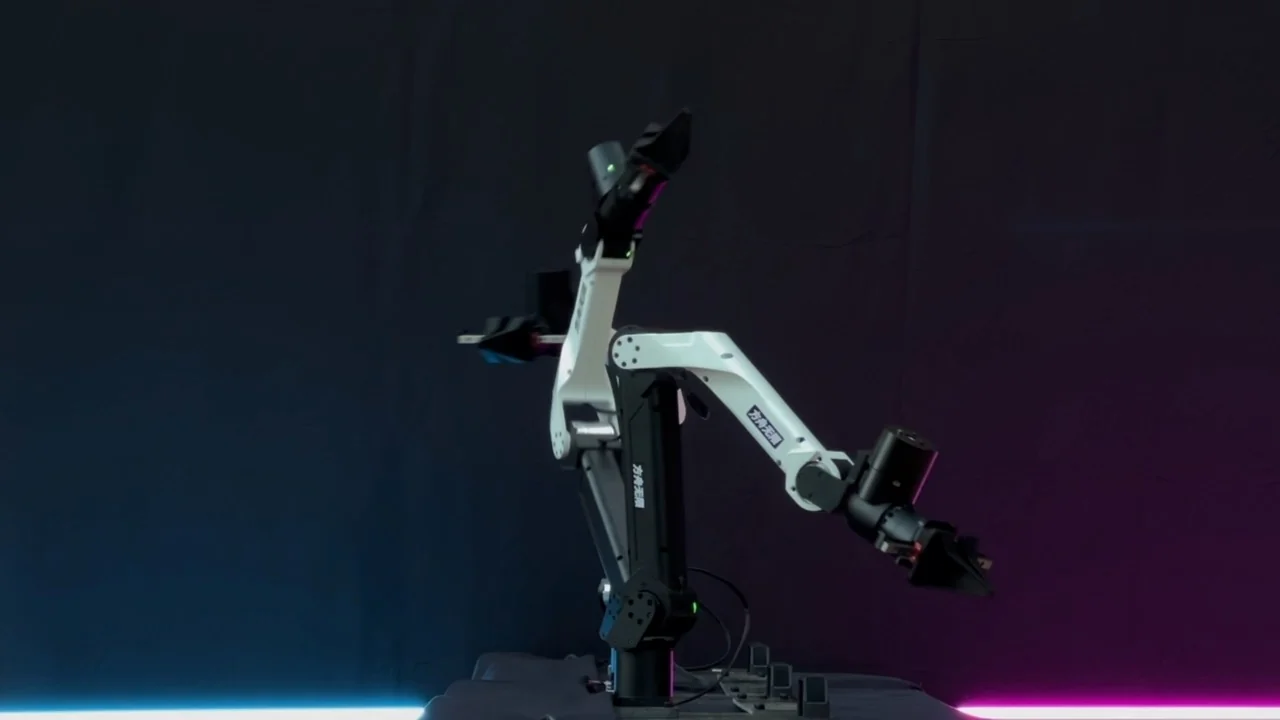
ARX X5 robot arms. Image: ARX.#
Use this guide to collect dual-arm ARX X5 demonstrations with two PICO controllers and three V4L2 RGB cameras. You will install the runtime, check CAN and camera devices, configure the station, record episodes, and inspect the exported LeRobot dataset.
Overview#
The ARX X5 collection recipe runs dual-arm control, three cameras, and PICO teleoperation on one Ubuntu 24.04 host.
Dual-arm PICO teleoperation
2× ARX X5 · PICO · 3× RGB cameras
Observation and Action#
Field |
Contents |
|---|---|
Observation |
One 224×224 RGB main view, two 224×224 RGB wrist views, an 18-D dual-arm TCP pose in |
Action |
A 20-D absolute target in |
Reward |
Press PICO |
Prompt |
|
Install the Runtime#
Clone the RLinf repository and enter its directory:
# To use a mirror, replace the official clone command with the following line:
# git clone https://gh-proxy.com/github.com/RLinf/RLinf.git
git clone https://github.com/RLinf/RLinf.git
cd RLinf
Install RLinf’s ARX X5, camera, and LeRobot dependencies in one Python environment:
bash requirements/install.sh embodied --env arx5
source .venv/bin/activate
This command installs the dependencies listed in requirements/embodied/envs/arx5.txt. Install the current Python SDK separately from ARXroboticsX/ARX5_beta; its repository root contains the bimanual package used by RLinf. Before each ARX X5 session, activate the Python venv and add the cloned ARX5_beta root to PYTHONPATH:
export PYTHONPATH="/path/to/ARX5_beta${PYTHONPATH:+:$PYTHONPATH}"
Prepare the ARX X5 Hardware#
Before enabling the collector, follow the ARX5_beta instructions to run ARX_CAN_doctor, configure the left and right arms as can1 and can3, and start both CAN interfaces.
Find stable V4L2 paths for the three cameras:
ls -l /dev/v4l/by-path/
In examples/embodiment/config/collect_data_dual_arx5.yaml, set the CAN interface for each arm and the V4L2 path for each camera view to match your wiring. If a camera is mounted rotated or upside down, set camera_rotations for its view so the recorded images are upright.
left_can_port: can1  # Left arm CAN interface
right_can_port: can3  # Right arm CAN interface
arm_type: 0  # X5-2023 model
camera_fps: 30  # Choose a frame rate the cameras support
base_camera_serials: ['/dev/v4l/by-path/pci-0000:00:14.0-usb-0:2.4:1.0-video-index0']  # Overhead view
left_camera_serials: ['/dev/v4l/by-path/pci-0000:00:14.0-usb-0:7:1.0-video-index0']  # Left wrist
right_camera_serials: ['/dev/v4l/by-path/pci-0000:00:14.0-usb-0:2.3:1.0-video-index0']  # Right wrist
camera_rotations: {base_0_rgb: 180}  # Clockwise rotation per view: 0/90/180/270
If OpenCV reports Could not open V4L2 camera, check the device owner and your supplementary groups:
ls -l /dev/video*
id -nG
sudo usermod -aG video "$USER"
Sign out and reconnect, then confirm that id -nG includes video. If Ray is already running, restart it in the new session so its workers inherit the new group membership.
Prepare the PICO Headset#
Follow the headset instructions in PICO / XRoboToolkit setup to install the APK, then check that the headset tracks both controllers.
Collect Demonstrations#
Before launching the collector, edit the following fields in examples/embodiment/config/collect_data_dual_arx5.yaml.
runner:
  num_data_episodes: 50  # Number of successful demonstrations needed
env:
  eval:
    override_cfg:
      step_frequency: 30  # Control rate in Hz
      task_description: Pick and place the objects with both arms.  # Replace with the task instruction to store
    data_collection:
      fps: 30  # Dataset frame rate; match the control and camera rates
With the Python environment active and the SDK on PYTHONPATH, run these commands from the repository root.
export RLINF_NODE_RANK=0
ray start --head
bash examples/embodiment/collect_data.sh collect_data_dual_arx5
After the arms reset, press B to start recording. Press X to end and save a successful demonstration, or A to end and discard a failed attempt.
Inspect the Dataset#
Successful episodes are stored as LeRobot shards under:
logs/<timestamp>-collect_data_dual_arx5/
└── collected_data/
    └── lerobot_dataset/
        └── rank_0/
            └── id_0/
Merge every shard from the run, then export per-frame images, text metadata, and MP4 previews:
RUN=logs/<timestamp>-collect_data_dual_arx5

python toolkits/lerobot/merge_lerobot_datasets.py \
    --source-dir "$RUN/collected_data" \
    --output-dir "$RUN/lerobot_merged"

python toolkits/lerobot/visualize_lerobot_dataset.py \
    --dataset-path "$RUN/lerobot_merged" \
    --output-dir "$RUN/formatted_samples" \
    --export-mp4 --mp4-fps 30
The merged dataset is written to $RUN/lerobot_merged. Images, text, and MP4 previews are written to $RUN/formatted_samples.