
基于 GSEnv 的 Real2Sim2Real 强化学习训练#
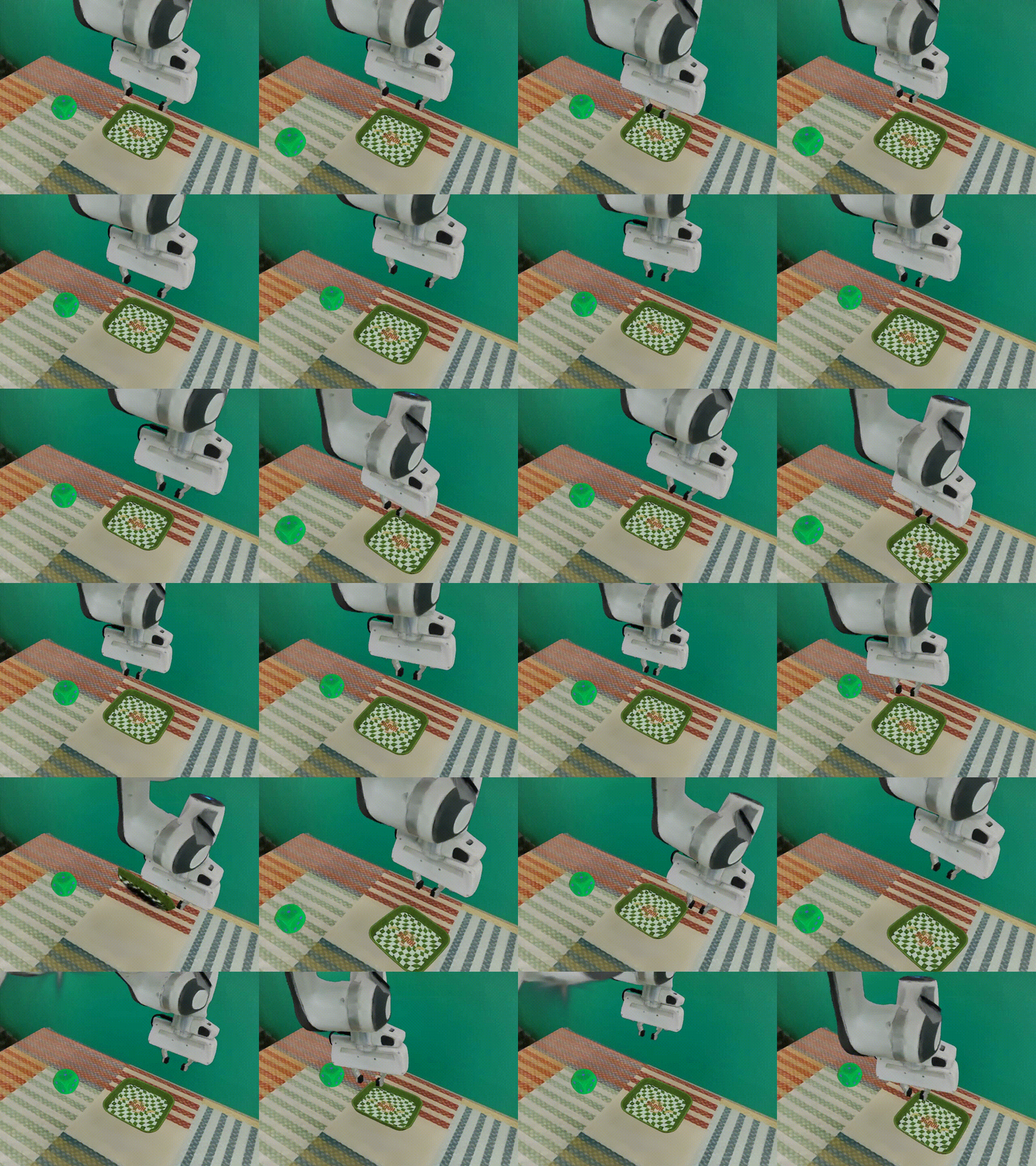
GSEnv / ManiSkill-GS。#
GSEnv,也称 ManiSkill-GS,将 ManiSkill 物理仿真与 3D Gaussian Splatting 渲染结合,
用于 Real2Sim2Real 操作任务。你将使用 RLinf 在 GSEnv-PutCubeOnPlate-v0 上,
通过 PPO 微调 OpenPI π₀.₅。
概览#
在兼容 ManiSkill 的 GSEnv 任务上微调 OpenPI π₀.₅。
π₀.₅
PPO
PutCubeOnPlate
1 节点 · 8 GPUs
run_embodiment.sh → 观察 env/success_once。任务#
任务 |
描述 |
|---|---|
|
抓取立方体并放到托盘上。 |
观测与动作#
字段 |
规格 |
|---|---|
观测 |
通过 |
动作 |
|
奖励 |
|
提示词 |
GSEnv wrapper 提供的任务指令。 |
备注
GSEnv 在 examples/embodiment/config/env/gsenv_put_cube_on_plate.yaml 中通过
env_type: maniskill 接入。任务 id 选择 ManiSkill-GS 环境。
安装#
首先,克隆 RLinf 仓库:
# 为提高国内下载速度,可以使用镜像:
# git clone https://ghfast.top/github.com/RLinf/RLinf.git
git clone https://github.com/RLinf/RLinf.git
cd RLinf
然后,使用下列两种方式之一准备依赖:预构建的 Docker 镜像(推荐)或自定义环境。
通用的安装流程(前置依赖、GPU 驱动、镜像内置的 switch_env 工具、镜像加速、常见问题排查)
在 安装说明 中统一说明;本方案中的命令仅在 Docker
镜像标签和 --env 取值上有所不同。
Docker 镜像
docker run -it --rm --gpus all \
   --shm-size 32g \
   --network host \
   --name rlinf \
   -v .:/workspace/RLinf \
   rlinf/rlinf:agentic-rlinf0.3-maniskill_libero

# 国内用户可使用:
# docker.1ms.run/rlinf/rlinf:agentic-rlinf0.3-maniskill_libero
在镜像中切换到 OpenPI 虚拟环境:
source switch_env openpi
自定义环境
安装 ManiSkill/LIBERO 环境与 OpenPI 依赖:
# 国内用户可添加 --use-mirror。
bash requirements/install.sh embodied --model openpi --env maniskill_libero
source .venv/bin/activate
安装 ManiSkill-GS 及其资产:
git clone -b v01 https://github.com/chenkang455/ManiSkill-GS.git
cd ManiSkill-GS
uv pip install -e .

# 下载资产到 ManiSkill-GS 项目中。
# export HF_ENDPOINT=https://hf-mirror.com
hf download RLinf/gsenv-assets-v0 --repo-type dataset --local-dir ./assets
在 ManiSkill-GS 项目根目录验证 RLinf 接口:
python scripts/test_rlinf_interface.py
备注
首次运行可能需要编译 gsplat kernel,因此耗时较长。
下载模型#
下载 OpenPI π₀.₅ SFT 检查点:
cd /path/to/save/model

git lfs install
git clone https://huggingface.co/RLinf/RLinf-Pi05-GSEnv-PutCubeOnPlate-V0-SFT

# 或使用 huggingface-hub:
# export HF_ENDPOINT=https://hf-mirror.com
pip install huggingface-hub
hf download RLinf/RLinf-Pi05-GSEnv-PutCubeOnPlate-V0-SFT --local-dir RLinf-Pi05-GSEnv-PutCubeOnPlate-V0-SFT
下载完成后,在配置 YAML 中指向该检查点——为 rollout 与 actor 两处模型设置相同的路径:
rollout:
   model:
      model_path: /path/to/downloaded-checkpoint
actor:
   model:
      model_path: /path/to/downloaded-checkpoint
运行#
启动 GSEnv 配方:
配方 |
配置 |
命令后缀 |
|---|---|---|
OpenPI π₀.₅ + PPO |
|
|
bash examples/embodiment/run_embodiment.sh gsenv_ppo_openpi_pi05
这条命令会:
使用 GSEnv Hydra 配置启动 embodied 训练入口。
为 actor、rollout 和 ManiSkill-backed env 组件创建 Ray worker。
使用 OpenPI action chunk 和稀疏 GSEnv 成功奖励运行 PPO rollout。
备注
默认配置使用 actor,env,rollout: all 共置。请根据 GPU 显存预算调整
cluster.component_placement、env.train.total_num_envs 和
actor.global_batch_size。
可视化与结果#
在 RLinf 仓库根目录启动 TensorBoard:
tensorboard --logdir ../results --port 6006
关键指标是 env/success_once。完整指标说明见
训练指标。
如需保存 3DGS rollout 视频,请在环境配置中启用 video:
video_cfg:
  save_video: True
  info_on_video: True
  video_base_dir: ${runner.logger.log_path}/video/train
如需启用 W&B 或 SwanLab,请添加 logger backend:
runner:
  logger:
    logger_backends: ["tensorboard", "wandb"]  # or swanlab
GSEnv 训练曲线示例。#